Portfolio templates
Free engineering portfolio website templates
Portfolio templates for engineers: room for projects, technical detail and results across mechanical, civil, electrical and more. Upload your resume and the AI drafts the content.
Engineering template gallery
15 templates for Engineering
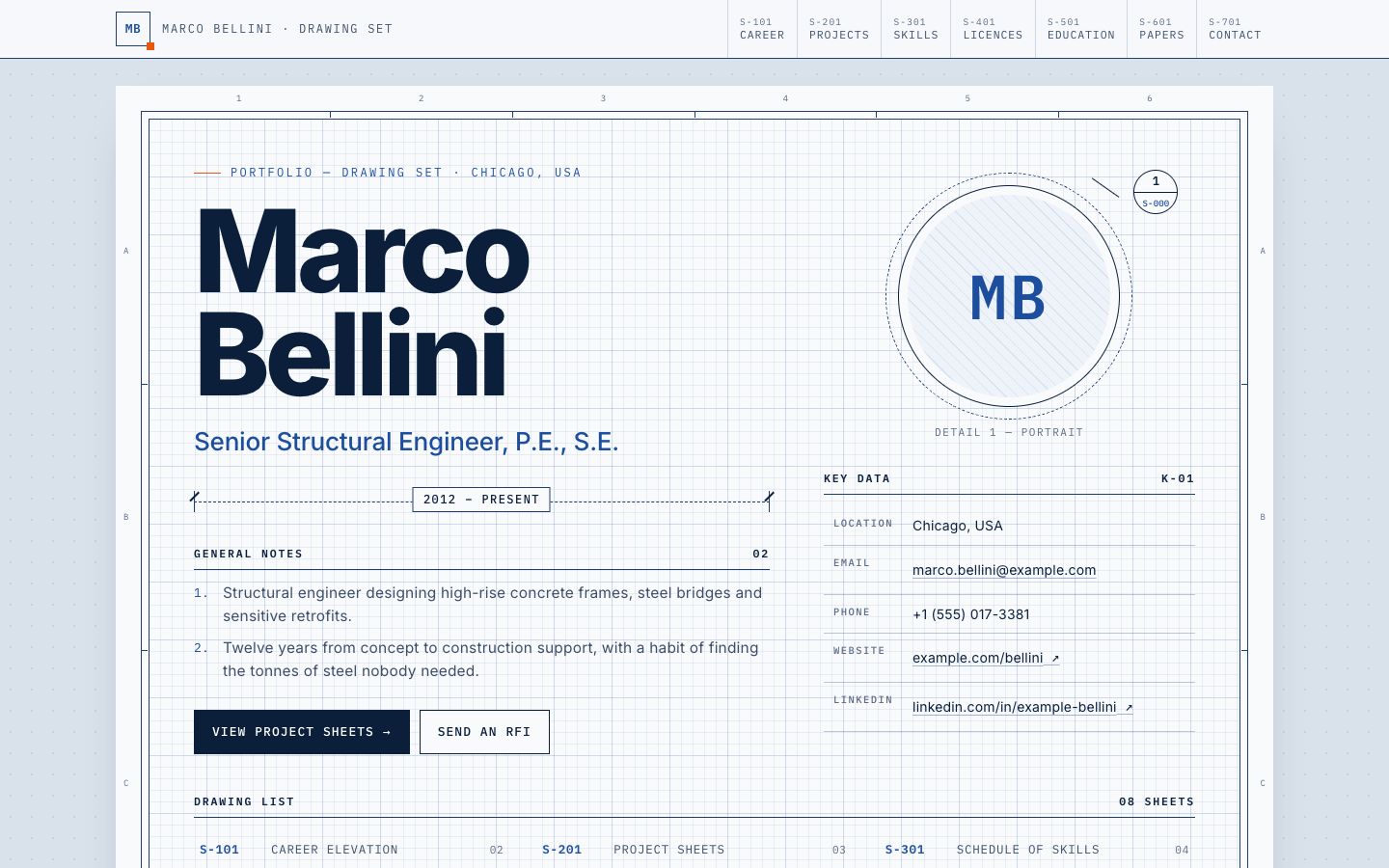
Title Block
Engineering · Design & Creative
Drawing-set portfolio: every section is a framed sheet with a title block (rev, date, sheet no., licence no.).
Use the Title Block template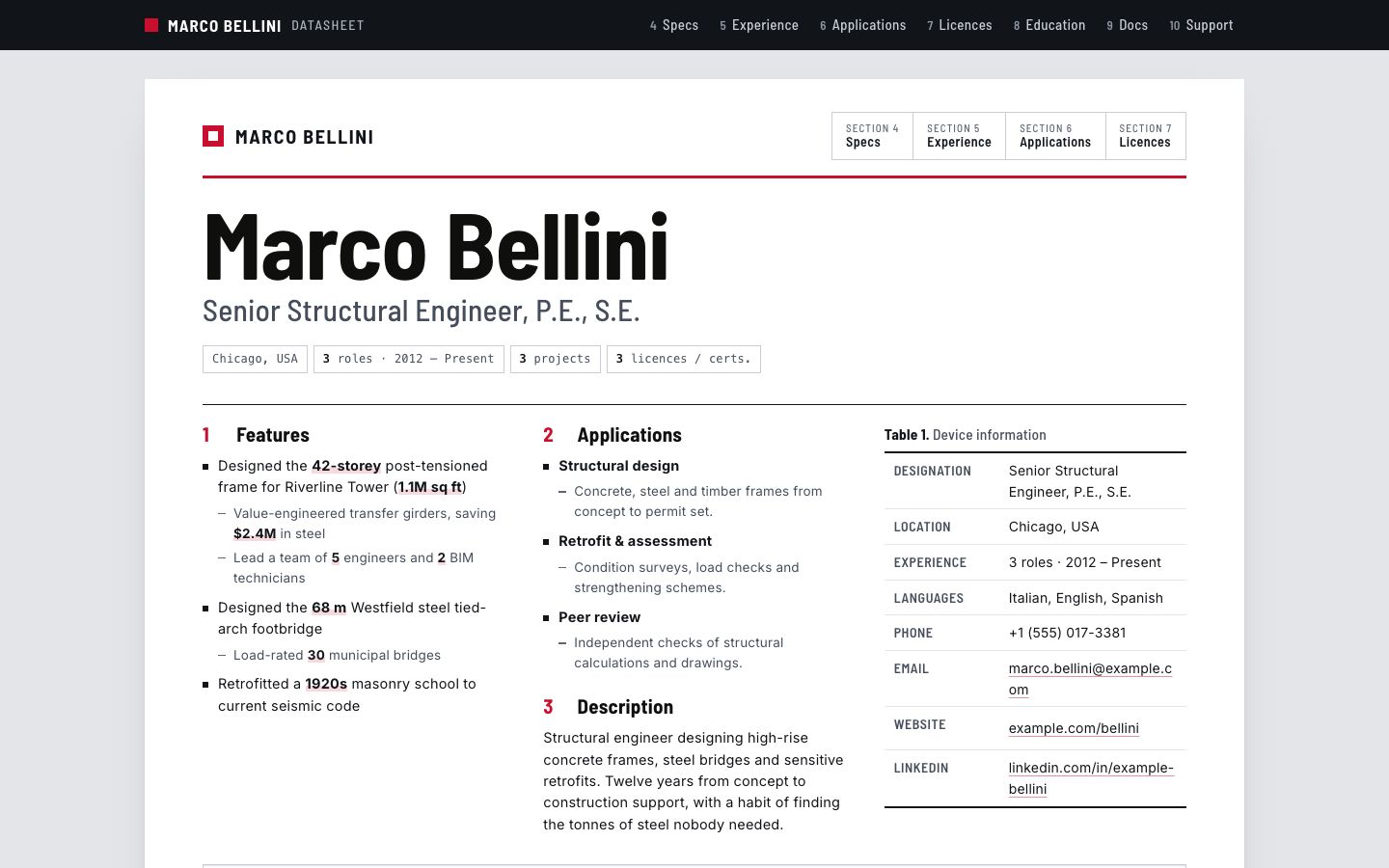
Spec Sheet
Engineering · Technology
Component-datasheet layout: numbered sections, block diagram, figures for projects and licence tables.
Use the Spec Sheet template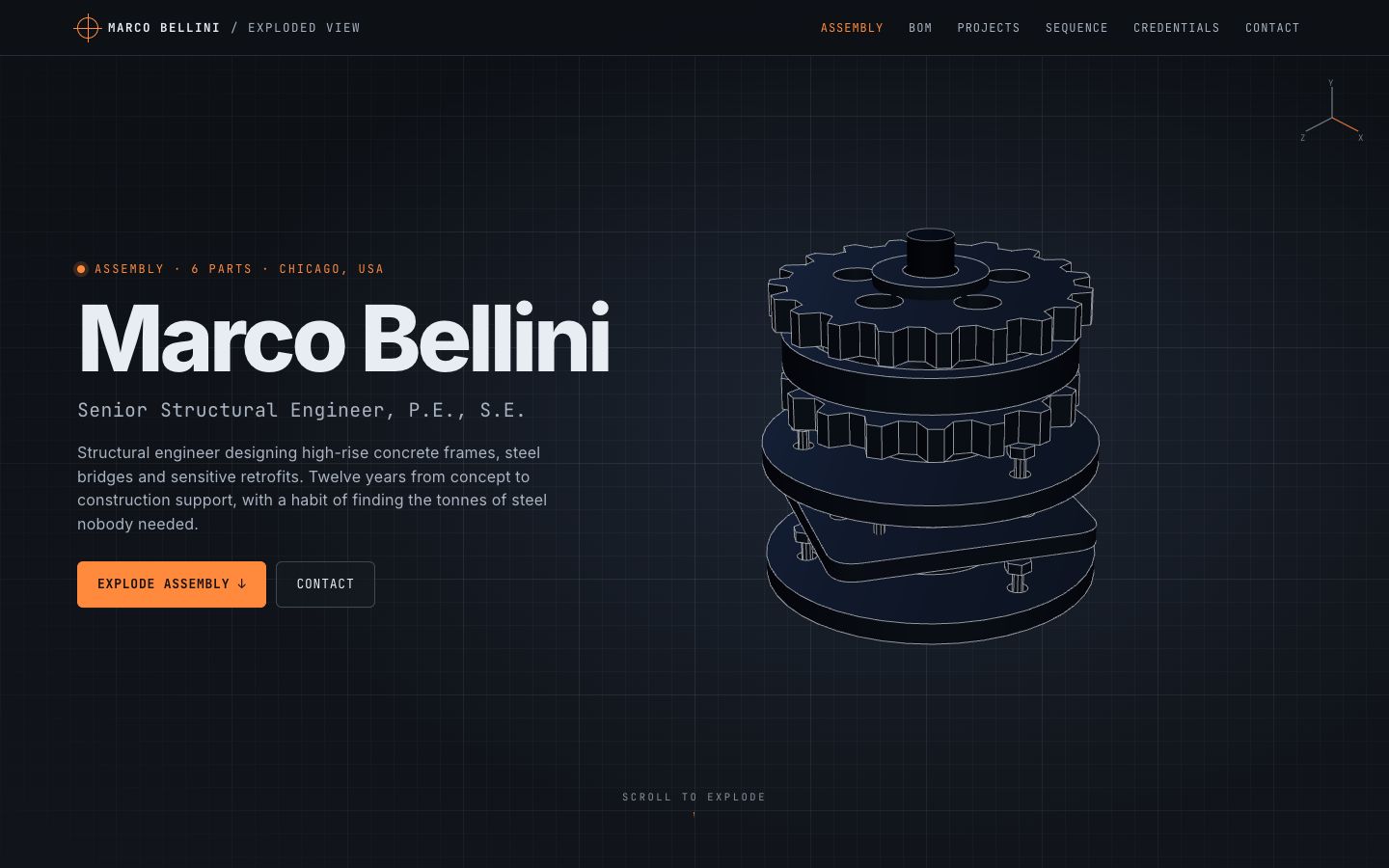
Exploded View
Engineering · Technology · Design & Creative · 3D
A procedural 3D assembly that explodes on scroll, one labelled part per skill group or project.
Use the Exploded View template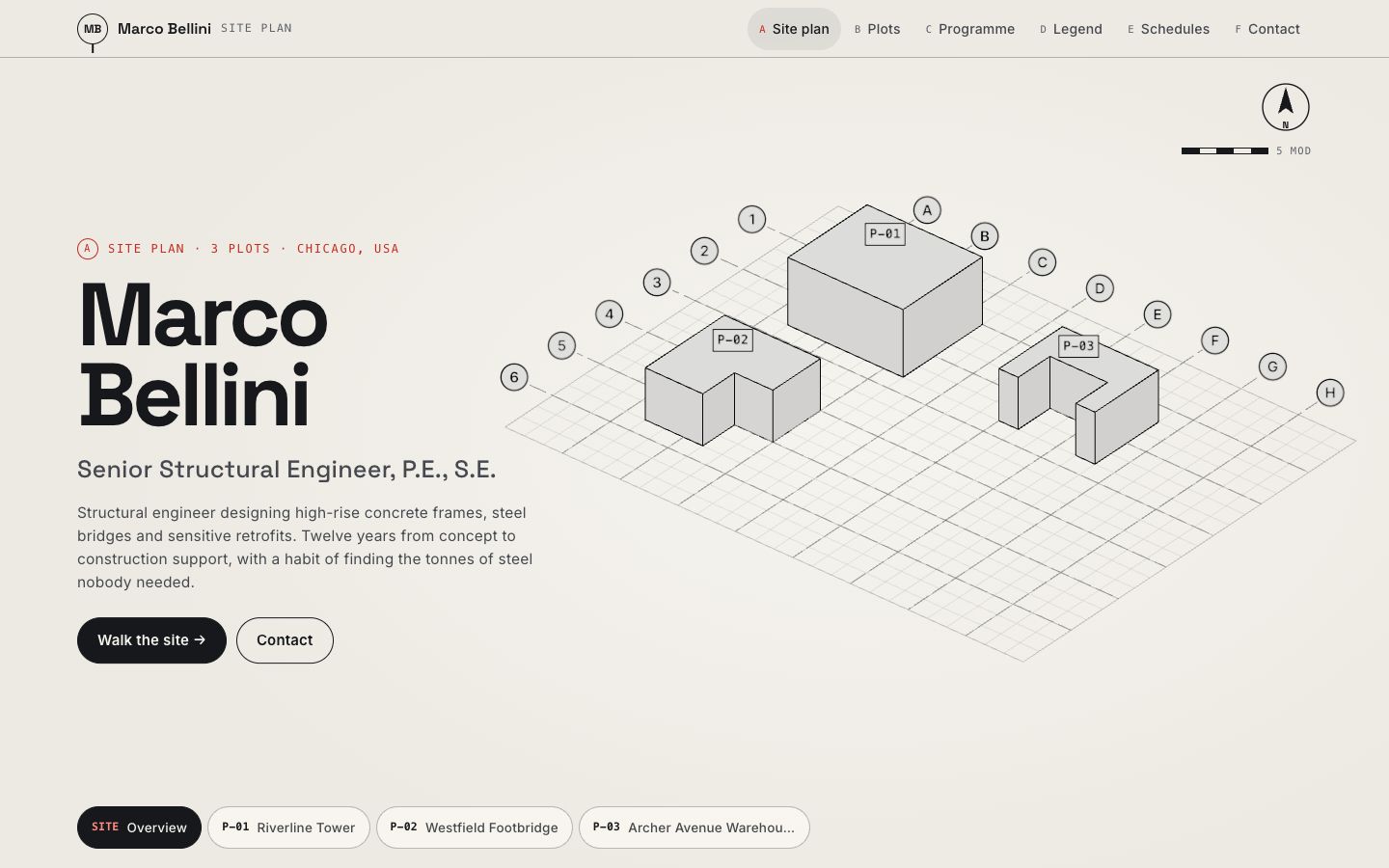
Gridline
Engineering · Design & Creative · 3D
Axonometric 3D site plan where each project is an extruded plot, with dimension callouts as you walk the site.
Use the Gridline template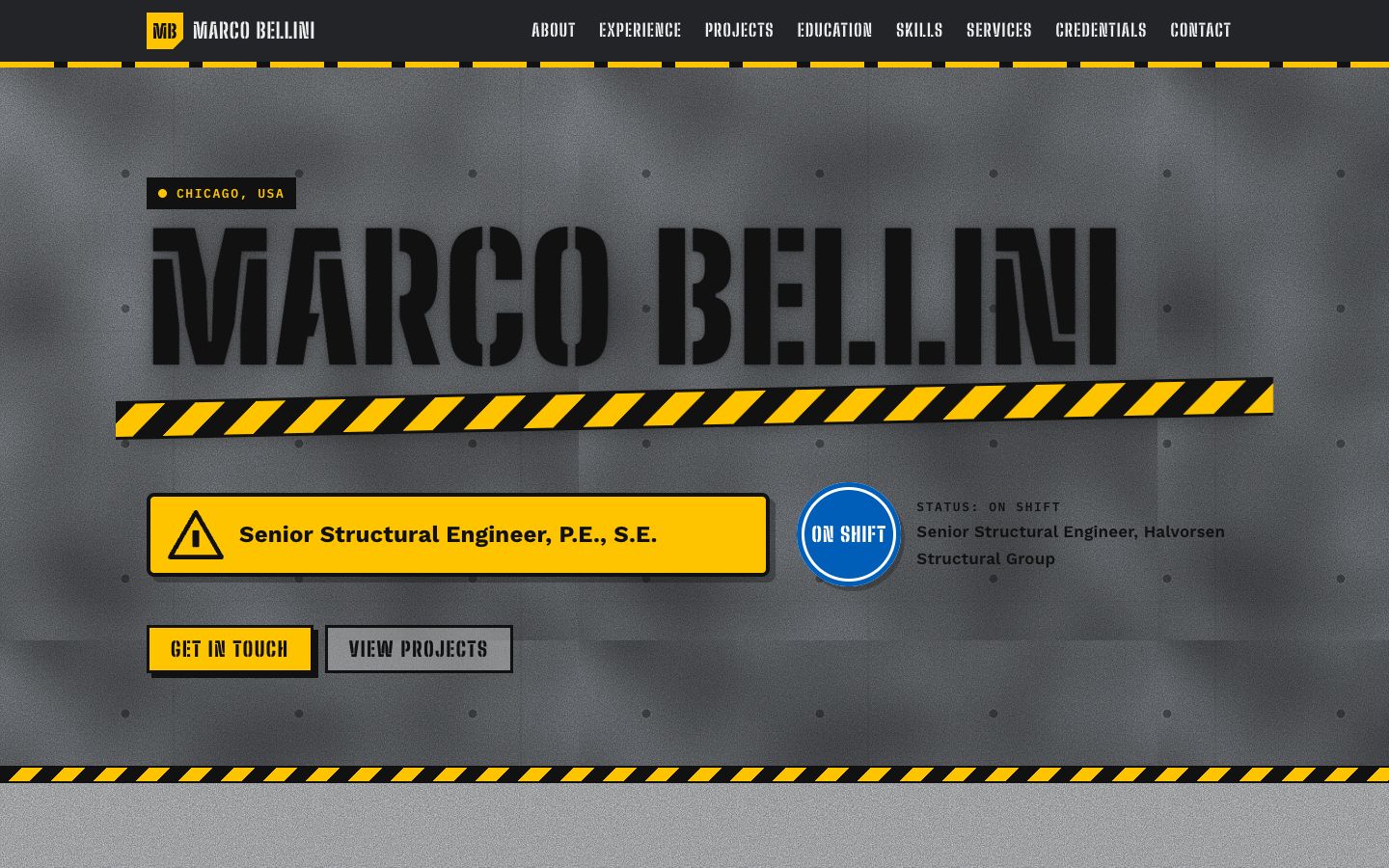
Stencil
Engineering · Business & Management
Plant-floor industrial look: spray-stencilled name, hazard-stripe dividers, safety-sign colour coding and riveted equipment tags for each role.
Use the Stencil template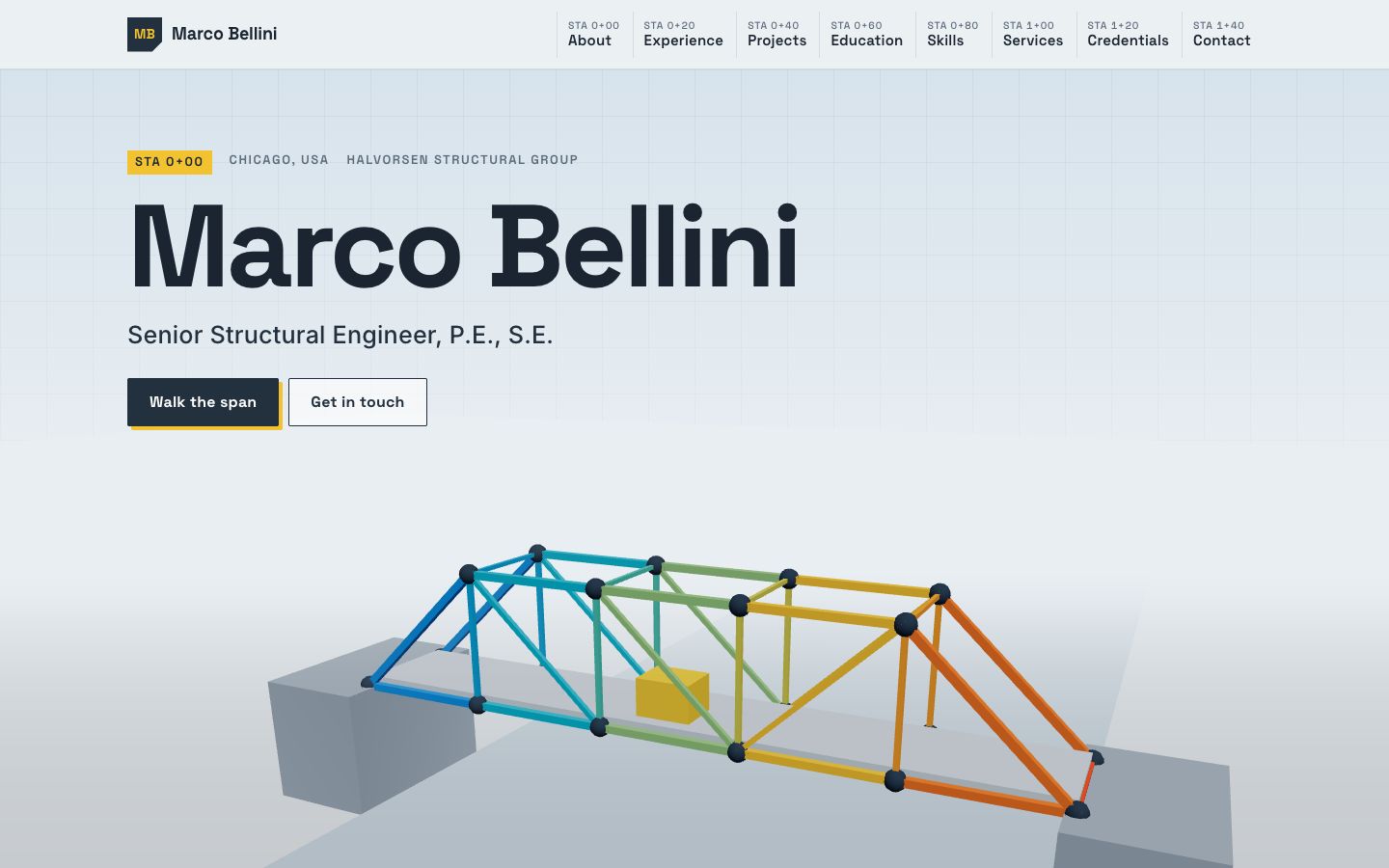
Truss
Engineering · Business & Management · 3D
A 3D steel truss bridge assembles member by member as you scroll; each panel is a role, and the stress colours glow along the span you've built.
Use the Truss template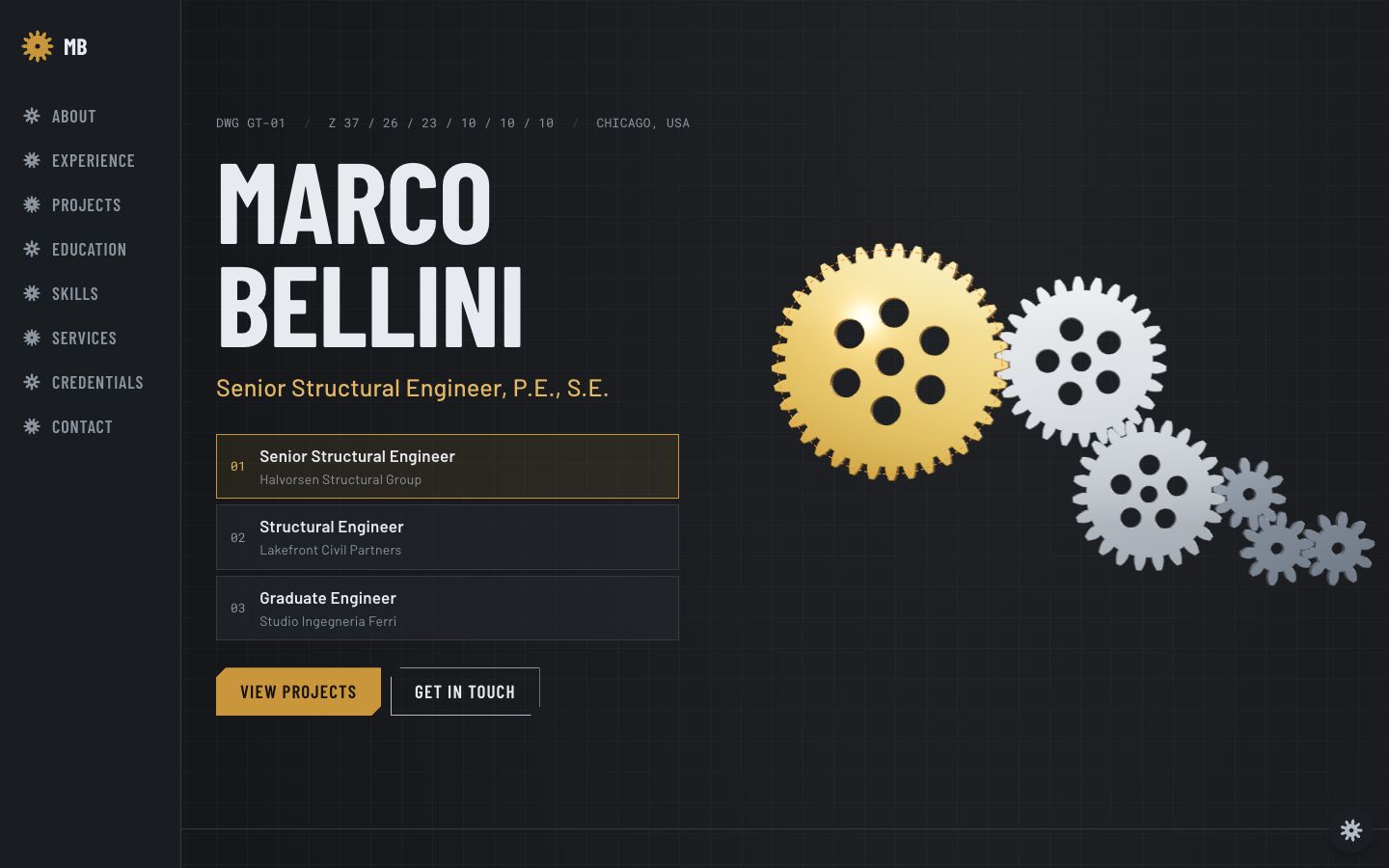
Gear Train
Engineering · Technology · 3D
A brass-and-steel 3D gear train turns as you scroll: one meshing gear per role, sized by its years, driving your projects down the line.
Use the Gear Train template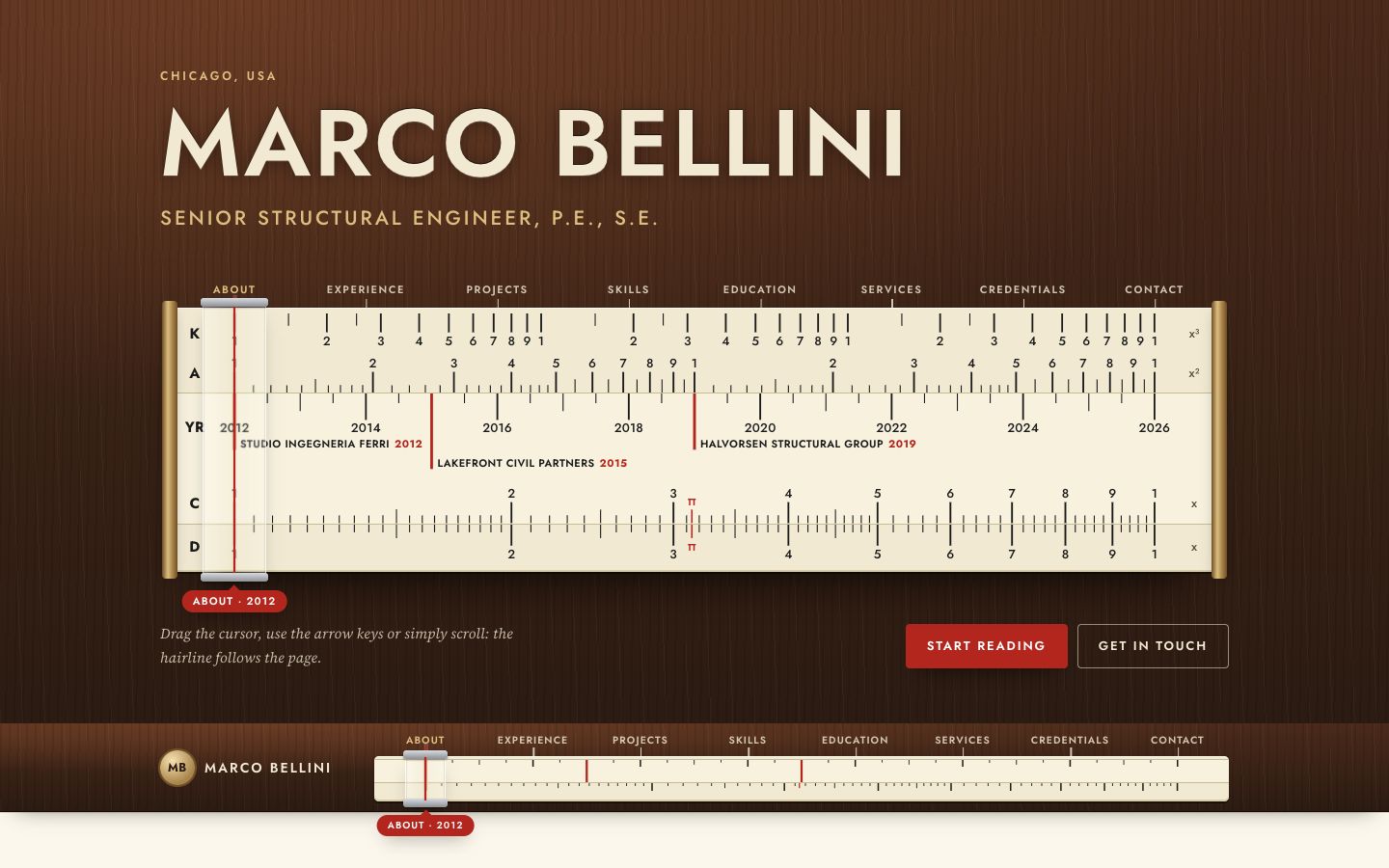
Slide Rule
Engineering · Education & Teaching · Technology
A classic slide rule is the navigation: drag the glass cursor along log scales to jump between sections, with your career years etched on the slide.
Use the Slide Rule template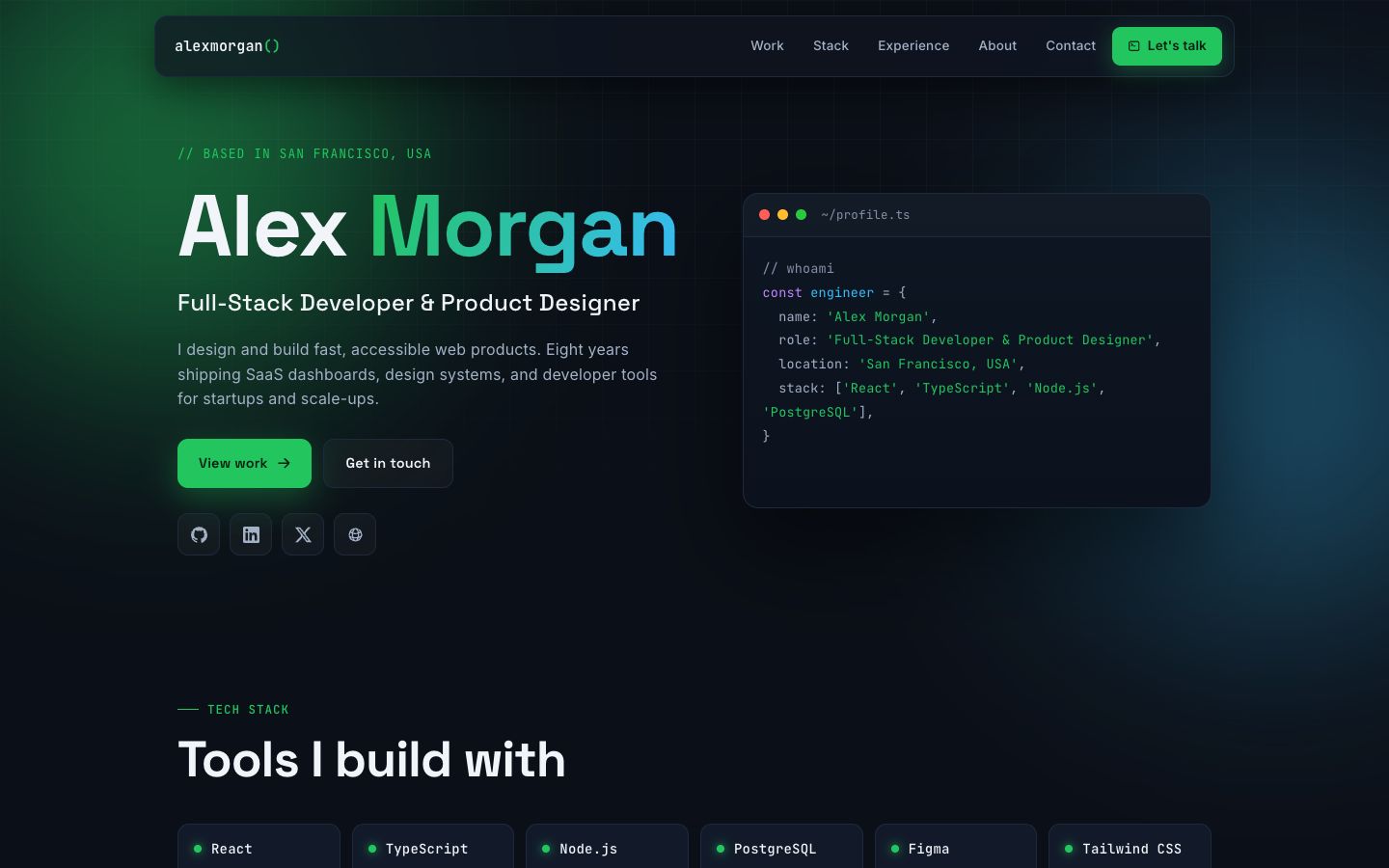
Quanta
Technology · Engineering
Developer portfolio with a refined IDE/terminal aesthetic — deep slate, terminal-green accents, an animated typed code window, tech-stack grid, and bento stats.
Use the Quanta template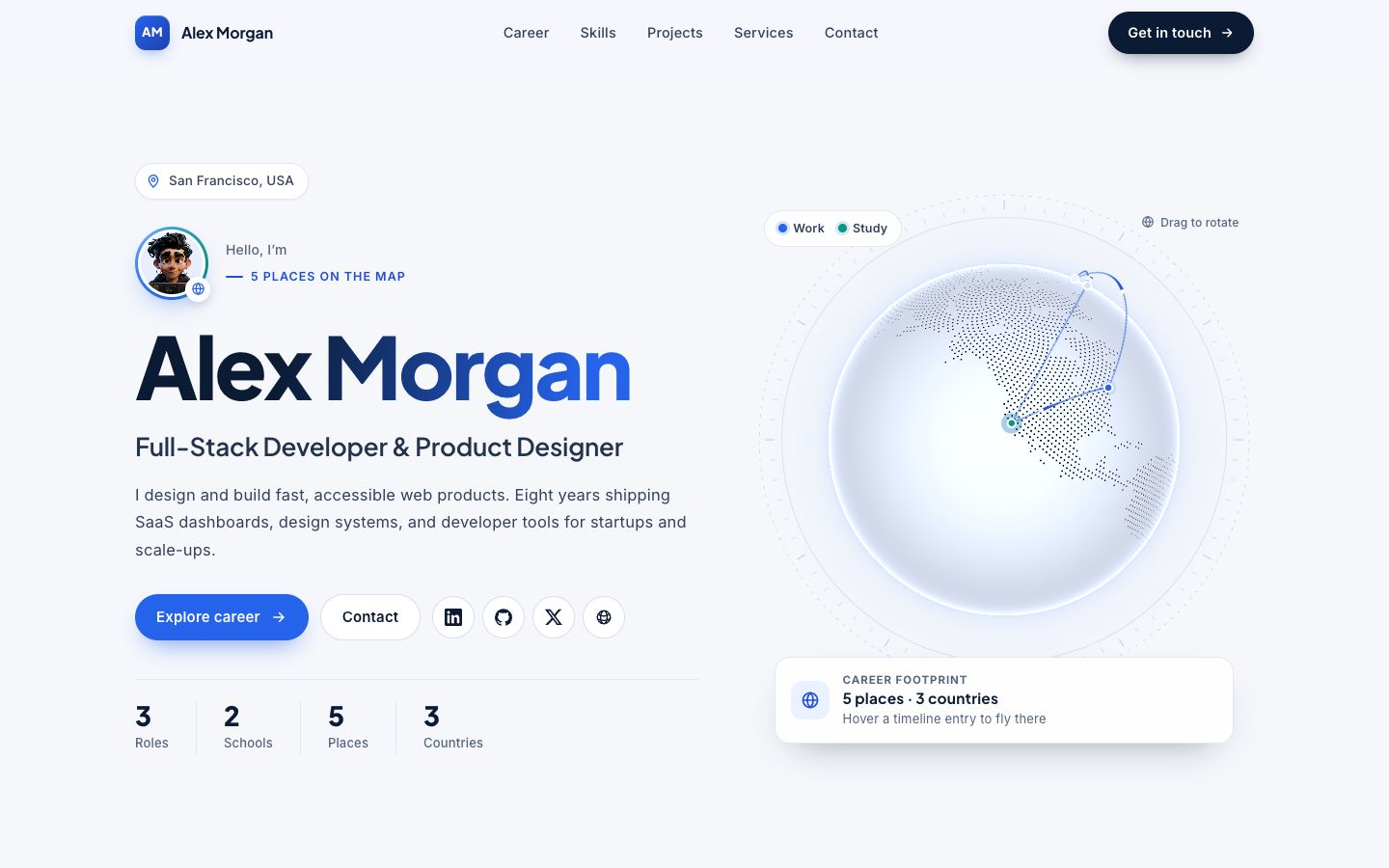
Atlas
Business & Management · Finance & Accounting · Human Resources · 3D
Clean corporate portfolio with an interactive globe that pins every job and school and traces your career path in arcs beside a timeline.
Use the Atlas template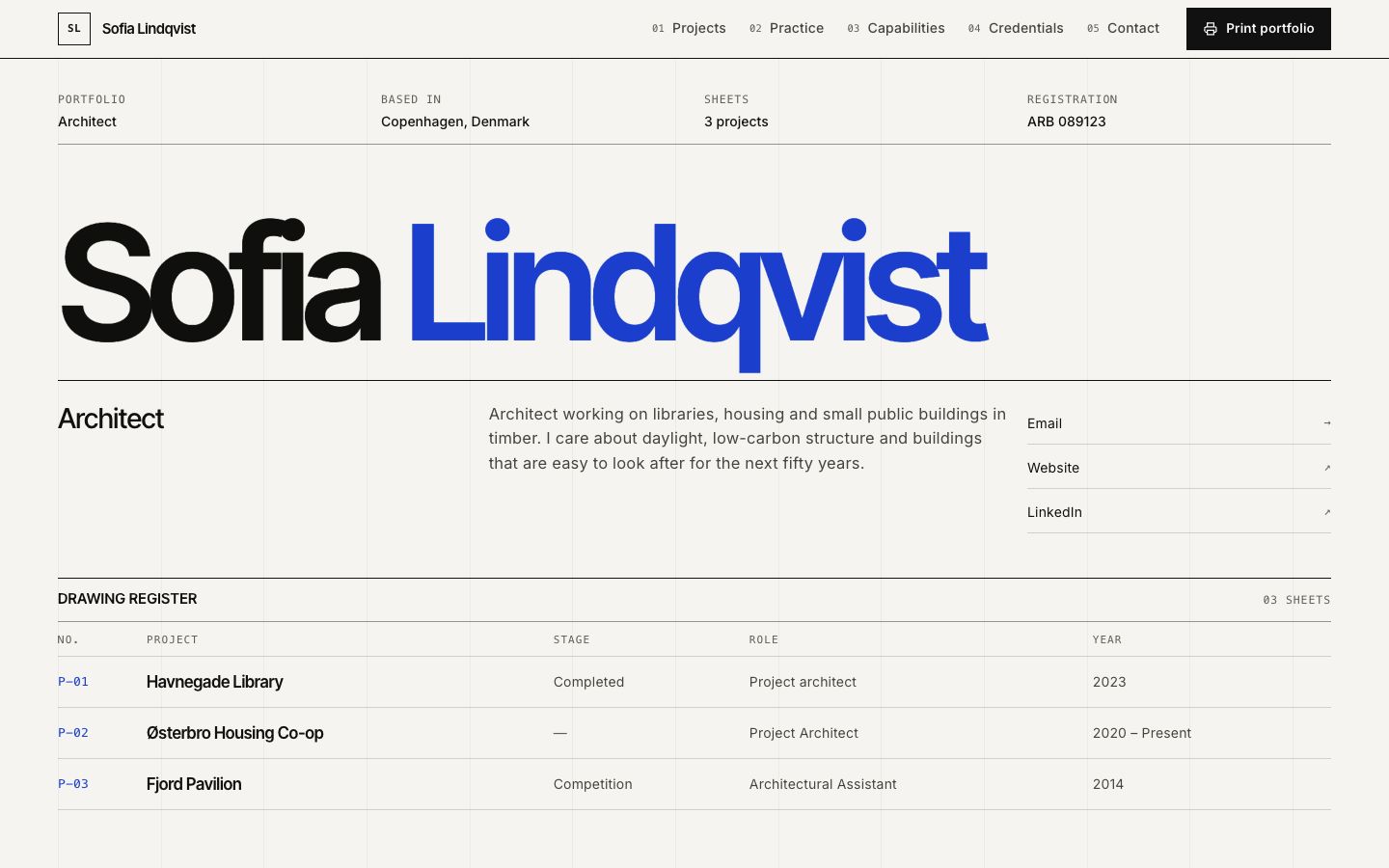
Plotline
Design & Creative · Engineering
Architect drawing-sheet layout: a drawing register, project sheets and a print-ready portfolio.
Use the Plotline template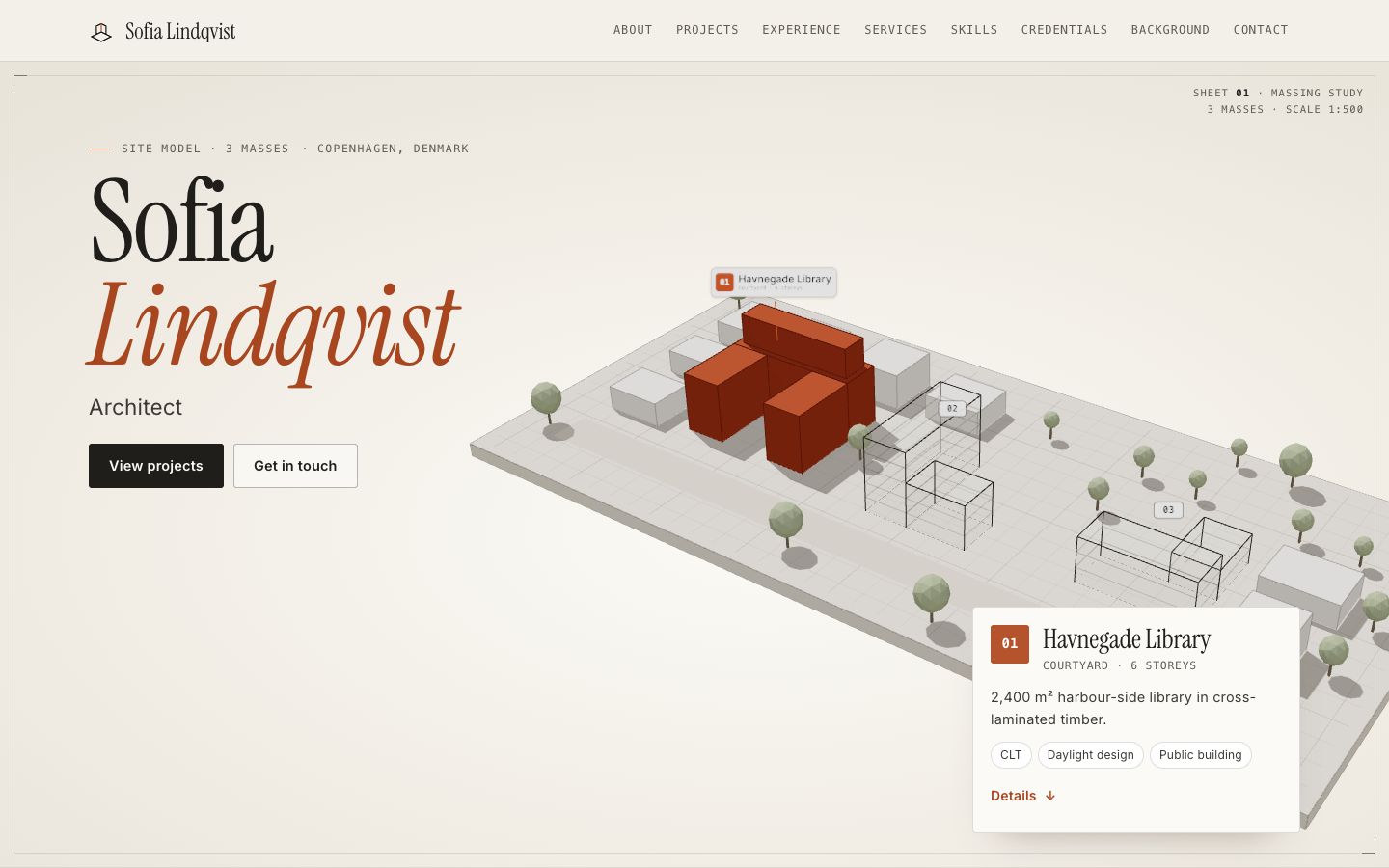
Massing
Design & Creative · Engineering · 3D
A paper site model in 3D: each project is a building mass — pick one to turn it solid brick and read its card.
Use the Massing template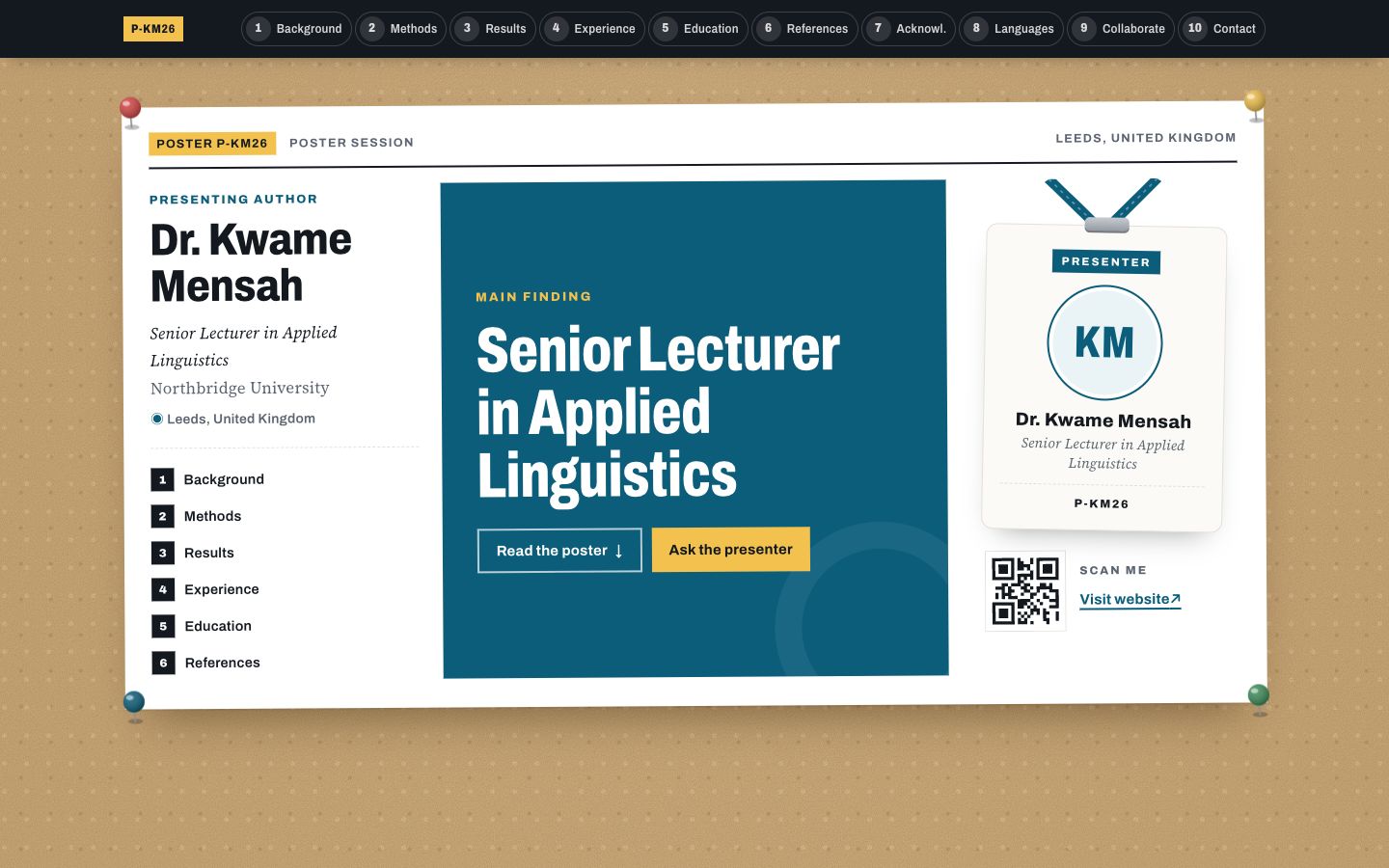
Poster Session
Education & Teaching · Healthcare · Engineering
Your profile as a research conference poster: one big takeaway in the middle, methods-style columns around it and a scan-me corner.
Use the Poster Session template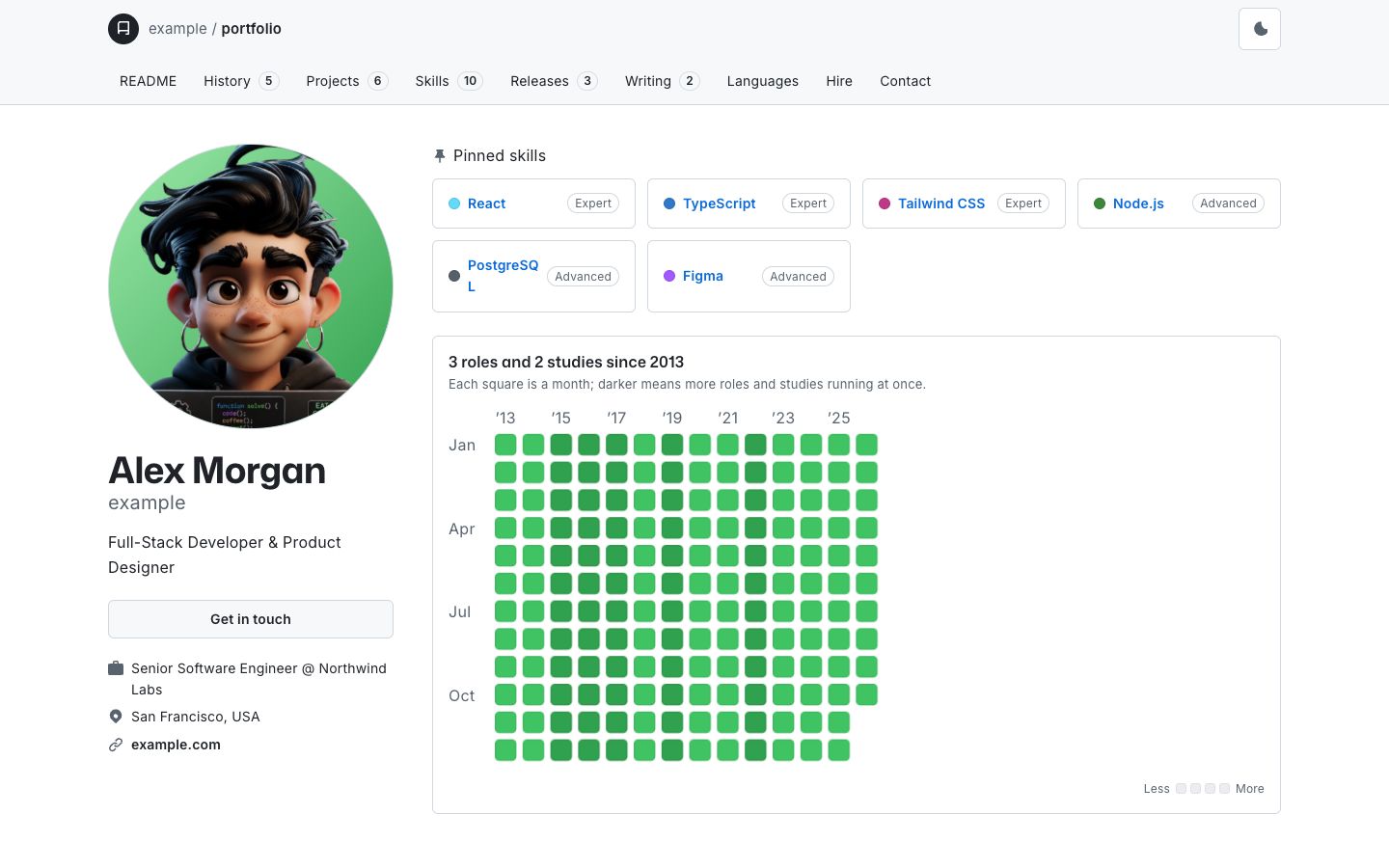
Commit
Technology · Engineering · Design & Creative
Your career as a git history: roles are commits on a coloured branch graph, studies merge in from their own branch, and skills fill a contribution grid.
Use the Commit template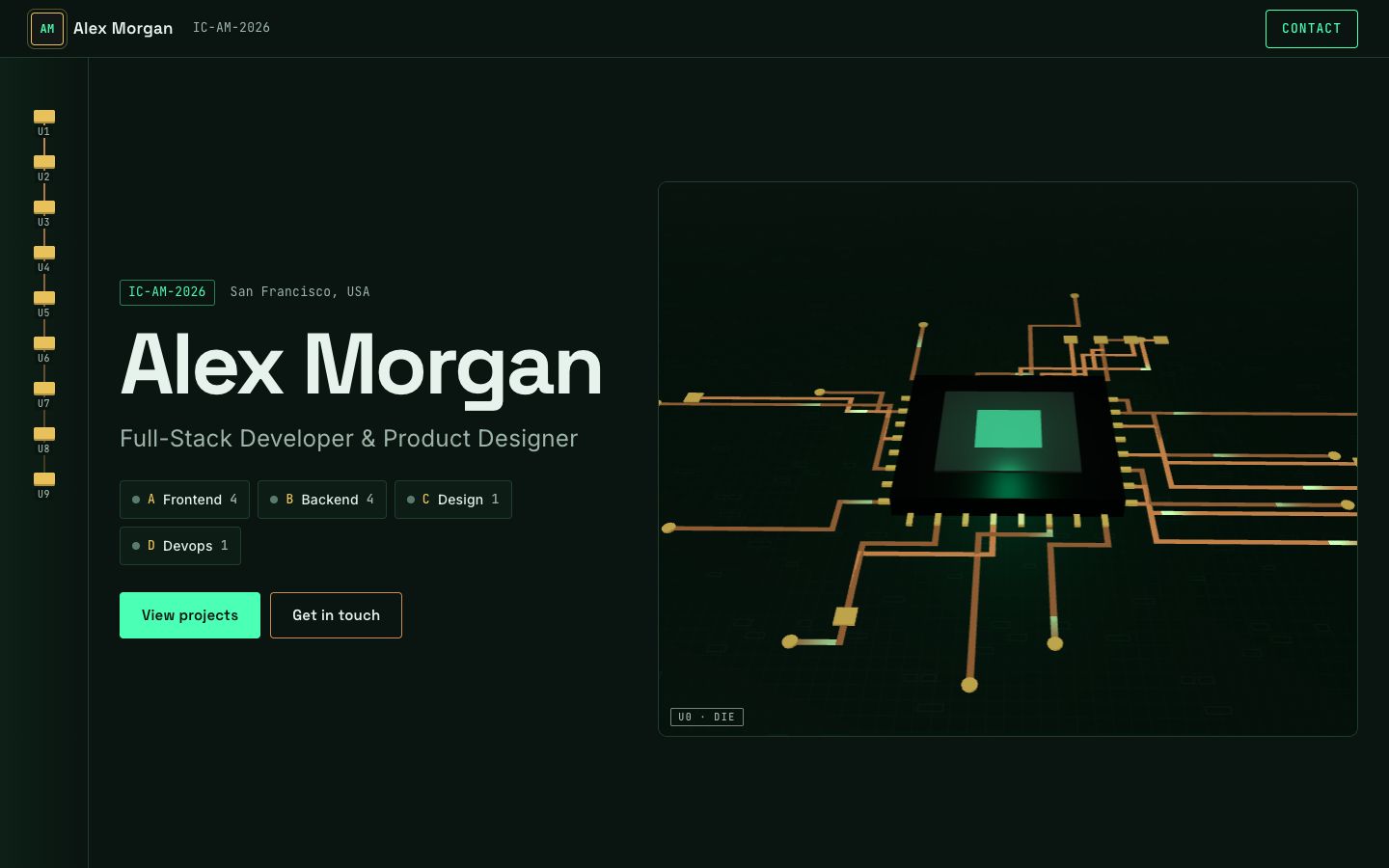
Silicon
Technology · Engineering · 3D
A macro 3D chip die: light pulses race along circuit traces from your skills to a glowing core, and the board zooms in section by section.
Use the Silicon template
Why these templates
Made for engineering work
An engineering portfolio needs space for projects and technical detail without feeling cluttered.
Because the AI drafts your portfolio from your resume, you can compare these templates with your real bio and experience instead of placeholder text. See the engineering portfolio guide: projects, design process and what you can share guide for more ideas.
Guides for engineering
Templates for other fields
Common questions
Engineering template FAQs
Are these templates free?
Yes. Every template is free, including publishing your portfolio website at a free folitox.com address or on your own domain.
Do I have to fill the template in by hand?
No. Upload a PDF or DOCX resume or CV and the AI drafts your content, then you review it and pick the template that fits.
Can I switch templates later?
Yes. Your content is stored separately from the design, so you can try another template any time and your bio, experience and projects stay put.
See your resume in any template
Upload a PDF or DOCX, let the AI draft your portfolio website, and switch templates until it feels right.
Make your portfolio freeNo sign-up required to try