By profession
Lawyer website: how solo attorneys build a personal site
How solo and independent attorneys can build a lawyer website: practice areas, representative matters, publications and bar admissions, with examples.
By Numan Qamar, Founder, Folitox AI · · 8 min read
A lawyer website of your own, whether you call it an attorney website, a personal site or a lawyer portfolio, is where potential clients and referring lawyers go to find out what you do. This guide is for individual attorneys and legal professionals: solo practitioners, independent and contract lawyers, of counsel, in-house counsel and lawyers who want a personal professional site alongside their firm bio. It isn't about building a website for a law firm.
Most lawyers already have a professional page of some kind: a firm bio, a directory listing, a profile on a networking site. A personal attorney website does something those don't. It lets you describe your practice in your own words, show the kind of work you want more of, and keep a record of your writing and speaking that moves with you if you change roles. It also comes with obligations most professions don't have, because confidentiality and professional-conduct rules shape what you can say. This guide covers how to describe practice areas, write about matters without breaching confidentiality, present publications and admissions, find the right tone, and what a few illustrative lawyer website examples look like.
Who reads your lawyer website
Your readers usually fall into a few groups:
- Potential clients, who want to know whether you handle their kind of problem and whether they'd be comfortable working with you.
- Referring lawyers, who want to know exactly what you do so they can send the right matters your way.
- Recruiters and hiring partners, who are checking experience, admissions and fit.
- Event organizers and editors, looking for speakers or contributors.
These readers need different things, but they all start with the same question: what kind of lawyer is this, and for whom? Answer that on the first screen in plain language. "I represent small and mid-sized employers in workplace disputes and help them avoid the next one" is clearer to all four groups than a list of practice-area labels.
Check your bar's attorney advertising rules first
Before you write anything, check your bar's attorney advertising rules. A personal attorney website may count as advertising or a public communication, and those rules can affect much of what follows in this guide, from how you describe your practice to what you say about past matters. They vary between jurisdictions and change over time, so don't rely on a general guide, including this one, for the specifics. If you're also affiliated with a firm, check its marketing policy too.
If you're admitted in more than one place, check the rules for each.
Describing practice areas on your attorney website
Practice-area labels like "commercial litigation" or "corporate" are useful for search and for other lawyers, but they don't tell a client much. Pair each label with a sentence about who you help and with what.
Before and after
Before:
"Practice areas: Commercial Litigation, Contract Disputes, Business Torts, Alternative Dispute Resolution."
After:
"I handle business disputes for privately owned companies, most often contract and partnership disagreements. I spend much of my time trying to resolve them through negotiation or mediation before they reach court, and I take cases to trial when that's the better path for the client."
The second version still names the practice, but it also tells a reader whether they're in the right place. Keep the label list too if you like; just don't let it carry the whole page.
A few more tips:
- Lead with the work you want more of, not necessarily the work you've done most.
- Hold off on words like "specialist" and "expert" until you've checked your bar's attorney advertising rules.
- Name industries or client types if that's how people find you: healthcare providers, nonprofits, family-owned businesses, individuals going through a divorce.
Representative matters without breaching confidentiality
Representative matters are often the most persuasive part of a lawyer's page, and the part that needs the most care. Your duty of confidentiality doesn't end when a matter closes, and it can cover information that's technically public.
A safer approach
- Describe the type of matter, not the client. "Represented a regional manufacturer in a supply contract dispute with an overseas distributor" says what you did without naming anyone.
- Remove identifying details: exact dates, deal sizes, locations and unusual facts that could let a reader work out who the client was.
- Get informed client consent, in whatever form your rules require, before naming a client or describing a matter in a way that could identify them. Even when a case is in public court records, check whether your rules still require consent.
- Follow your firm's policy on who approves matter descriptions.
- Be careful with results. Check your bar's attorney advertising rules before mentioning outcomes at all, and avoid language that implies a future client should expect the same.
An example
"Advised the founders of a software company on the sale of the business to a larger competitor, including negotiation of the purchase agreement and the founders' post-sale employment terms."
This shows the kind of work, the complexity and your role. It doesn't include a name, a price or anything that a reader could match to a public announcement without effort.
If you're unsure whether a description could identify a client, make it more general or leave it out. A slightly vaguer matter description costs you very little. A breach of confidence can cost you a great deal more.
For a structure that works for longer write-ups, see how to write a case study; just apply it with the confidentiality limits above.
Publications, speaking and teaching
Articles, presentations and teaching are some of the best evidence a lawyer can offer, because they show how you think and they're already public. List them with:
- Title, publication or event, and date.
- A link, if the piece is available online and you have the right to share it.
- One sentence on what it covers, written for a non-lawyer when possible.
Group them if you have a lot: articles, talks, CLE sessions, academic teaching. Put the most recent and most relevant first. If you have only one or two, that's fine; one thoughtful article is worth more than a long list of short alerts.
If you write a short summary of a new law or decision for your own site, be careful not to make it read like advice to a specific person. A plain note that the content is general information may be wise, and your jurisdiction may require one.
Bar admissions, education and credentials
This section should be exact and easy to scan:
- Bar admissions, with each jurisdiction and the year admitted. Include court admissions if they matter for your practice.
- Education, with degrees and institutions. Honors, journals and moot court can stay for the first several years of practice.
- Clerkships and other significant positions.
- Professional memberships and leadership roles in bar associations or committees.
- Languages, if you can work in them with clients.
If you're not yet admitted, say so clearly: "J.D. candidate, expected graduation [month and year]" or "Awaiting bar admission in [jurisdiction]." Never let wording suggest you're licensed where you aren't.
Finding the right tone
Legal writing on websites tends toward one of two extremes: stiff and formal, or loaded with promises like "aggressive" and "results-driven." Neither builds much trust.
Aim for the tone you'd use with a sensible new client across a table:
- Plain words over legal ones. Say "help you get paid under a contract" before "pursue breach of contract remedies."
- Calm confidence. Describe what you do and how you do it, and let readers draw conclusions.
- First person, usually. "I advise..." reads warmer than "Ms. Patel advises..." on a personal site, though third person is fine if it suits you.
- No guarantees. Avoid anything that could read as a promise about outcomes.
Your bio is a good place to show a little personality: why you chose your practice, what clients tend to say about working with you, an interest outside law. How to write a professional bio has a structure that works well here. A professional photo helps clients feel they know who they'll be talking to.
Practical details
- Contact. A clear way to reach you, plus a short note that sending a message doesn't create a lawyer-client relationship, and a suggestion not to send confidential details through the form. Check whether your rules require specific wording.
- Firm affiliation. If you're at a firm, make your role and the firm clear, and check whether your firm allows a personal site at all.
- Keep it current. Update admissions, roles and publications when they change. An out-of-date page can itself create problems under some rules.
Lawyer website examples
These outlines are made up for illustration and don't describe real attorneys or sites. Each would still need checking against the rules that apply to that lawyer before going live.
Example 1: a solo employment lawyer
- Opening: "I help employees in the region understand their options when a job ends badly, and represent them in negotiations and claims."
- Sections: practice areas described in plain words, a short how-it-works section for a first consultation, three anonymized representative matters, and bar admissions.
- Contact: a simple form with a note not to send confidential details.
Example 2: an independent contract attorney
- Opening: "Contract attorney supporting small firms with research, brief writing and document review in commercial litigation."
- Sections: the kinds of projects they take on, sample topics they've researched described generally, publications, bar admissions and the software they work in.
- Contact: an email address and a line on availability.
Example 3: an in-house lawyer building a personal site
- Opening: "In-house counsel for technology companies, focused on commercial contracts and privacy."
- Sections: a short career summary, articles and talks, education and admissions, and a bio with a little personality.
- Contact: a link to a professional networking profile and an email address.
If your experience is already on a resume or CV, you can turn your resume or CV into a portfolio website with Folitox AI, which is free, and choose from professional portfolio templates suited to a calm, text-led attorney website.
Putting it together
A good lawyer website is clear about who you help, careful about what it reveals and honest in how it describes results. Check your bar's attorney advertising rules, and any firm policy that applies, before you publish. Describe practice areas in terms a client would recognize, write representative matters that show your work without identifying anyone, and list publications, admissions and credentials accurately. Keep the tone calm and plain. A tool like Folitox AI can turn your resume or CV into a first draft, which you can then shape and review against the rules that apply to you.
Portfolio templates for Legal
These are Folitox templates designed for legal portfolios, shown with sample content. Every one is filled in from your CV, and you can switch between them at any time.

Counsel
Formal letterhead page: practice areas, admissions table with registration numbers, correspondence.
Brief
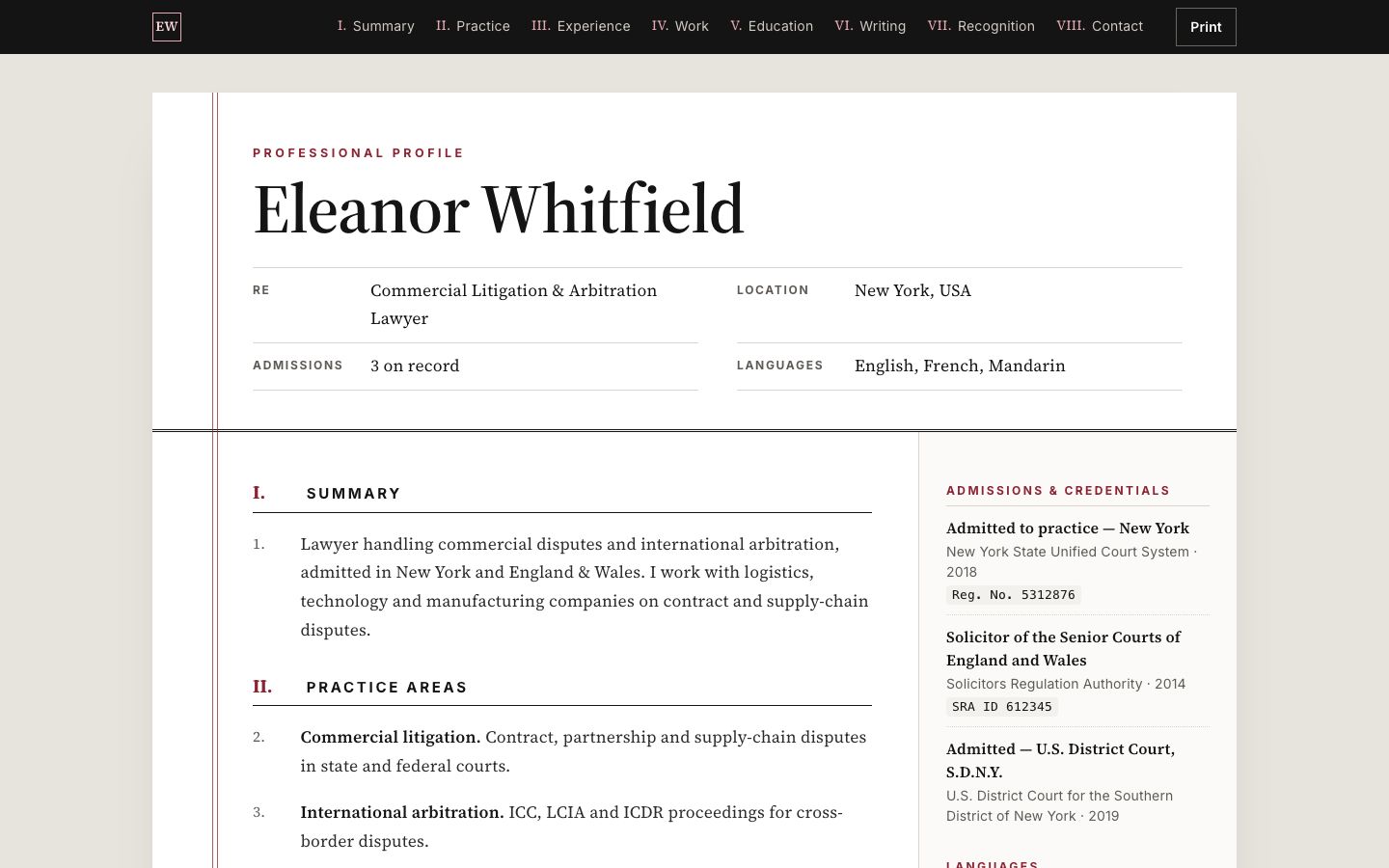
Two-column legal memo on pleading paper: numbered paragraphs, admissions sidebar, print-ready.
Colonnade
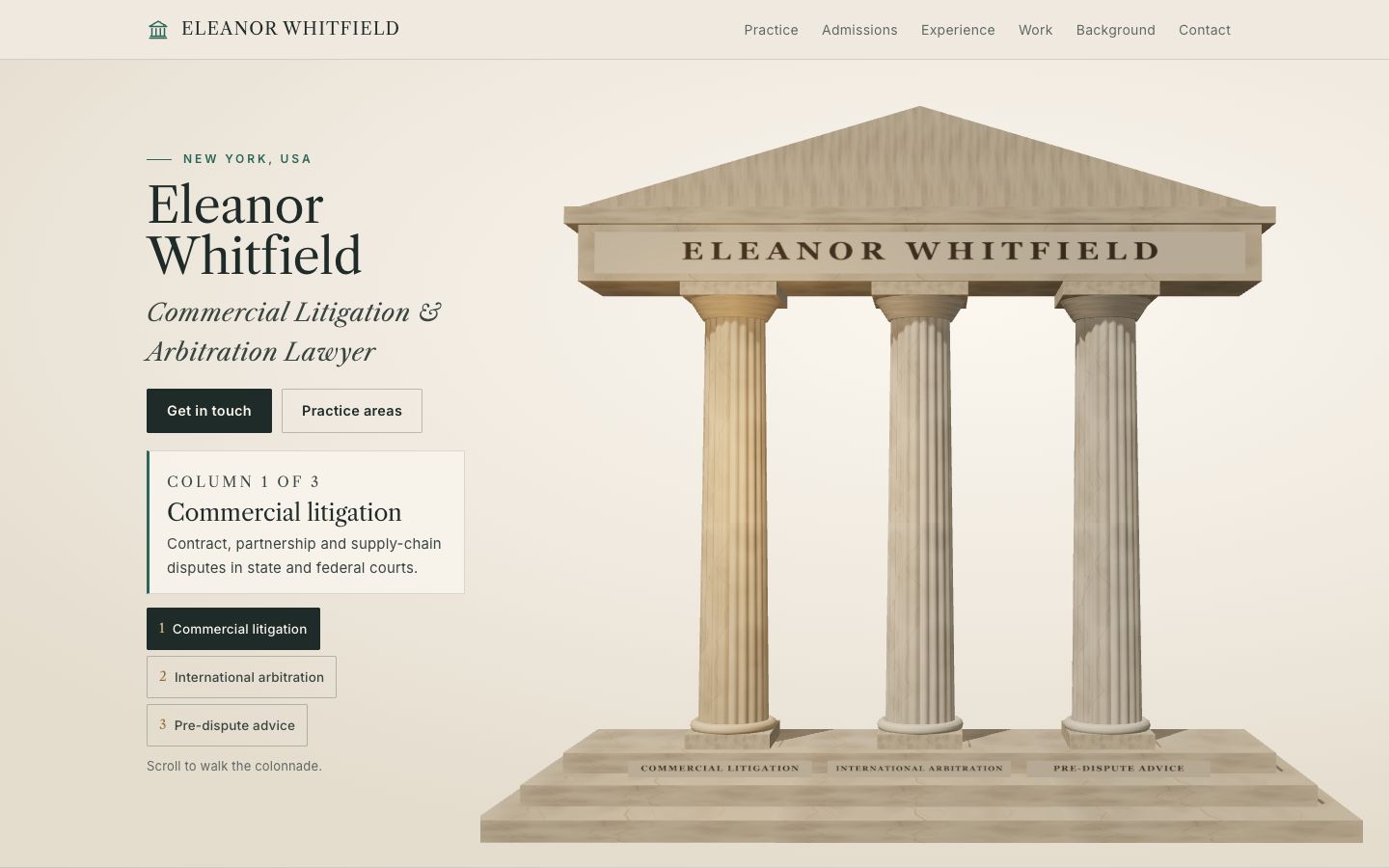
A 3D marble portico: one column per practice area, your name in the stone — scroll to walk the colonnade.
Equilibrium
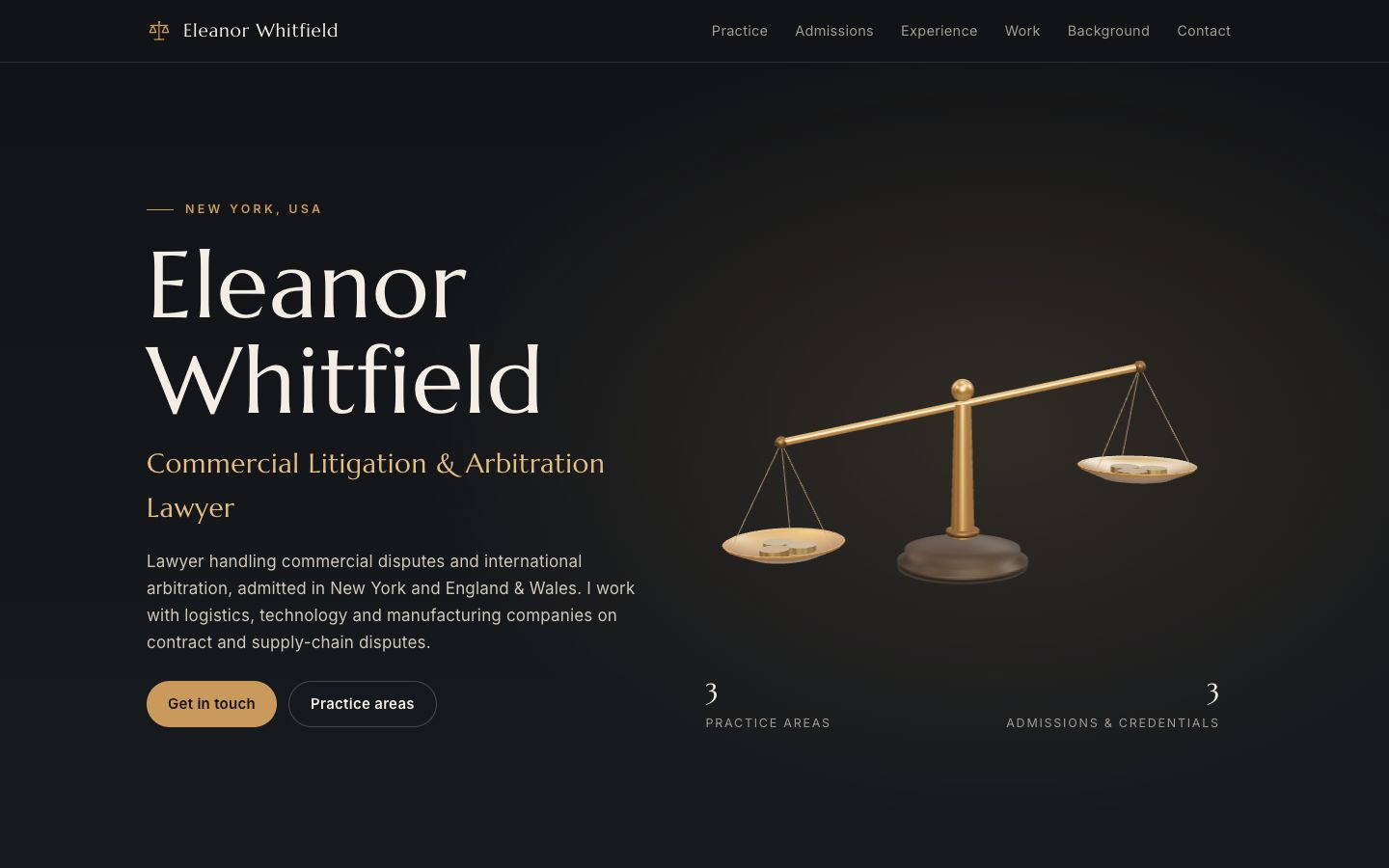
A bronze 3D balance scale that settles as you scroll: practice areas on one pan, admissions on the other.
Redline
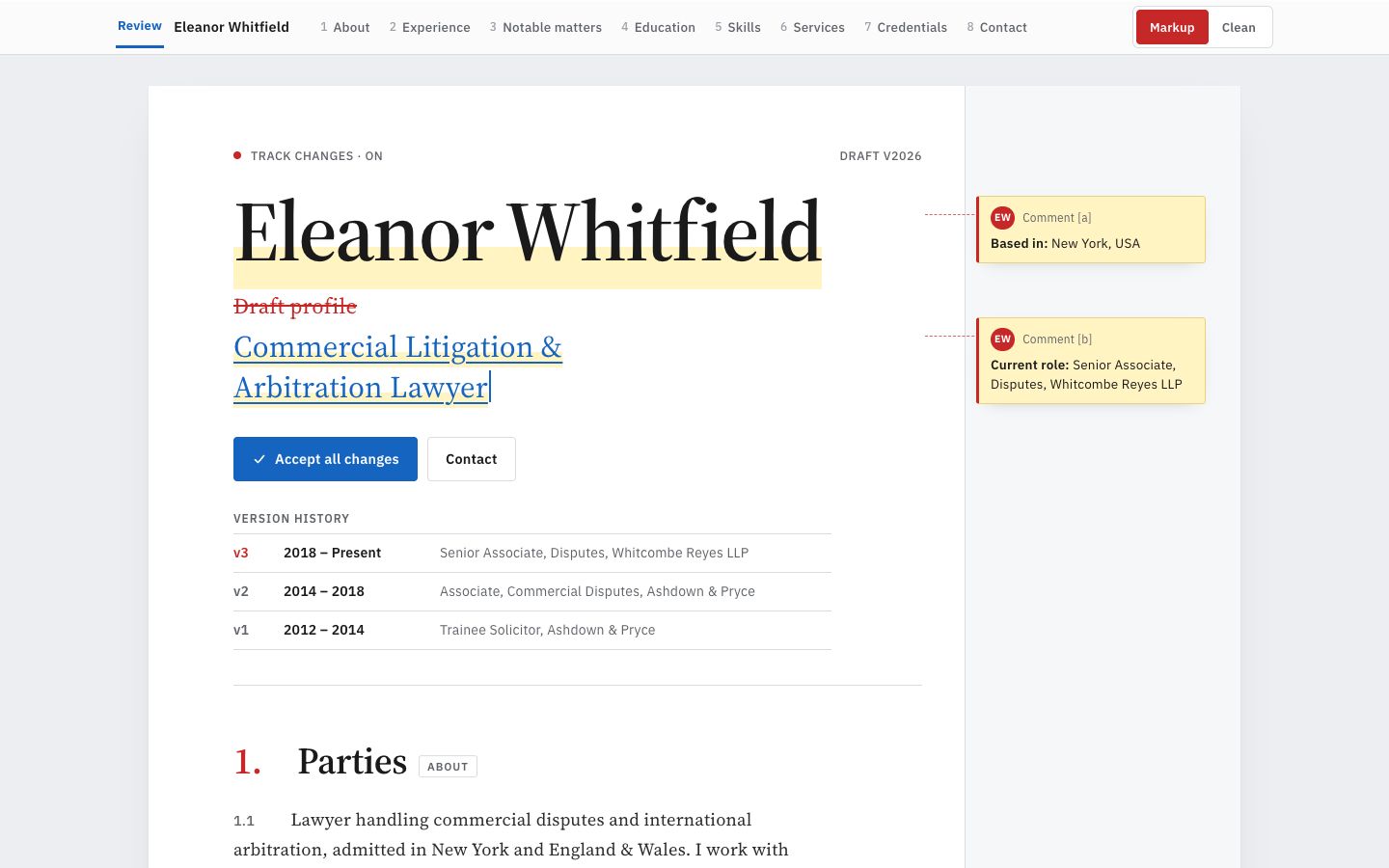
Your profile as a tracked-changes draft: the tagline types itself in as red insertions, margin comment bubbles annotate highlights, and a clean copy is one click away.

Gilt
Art Deco courthouse elegance: midnight navy, gold sunburst hero, stepped arches framing each section and a brass nameplate for your name.